EXCL FUNCTION – COUNTA
Excel Function COUNTA
What is COUNTA Function in EXCEL?
The COUNTA is a cell counting function, which counts all cells in a range that has values, both numbers and letters.
Syntax:
=COUNTA(value1,[value2],...)
Syntax Description:
value1 argument is used to give any value/ range for which count is required
[value2] argument is used to give another value /cell reference/range
… means, we can add multiple value/cell reference/range by separating them with comma ( , )
How to Count Non-Blank Cells using COUNTA?
The COUNTA function is used when we need to count Non-Blank cells in a selected range.
For example, for counting cells from A1-A10, the formula is “=COUNTA (A1:A10).”
The function also counts the number of value arguments provided. The value argument is a parameter that is neither a cell nor a range of cells.
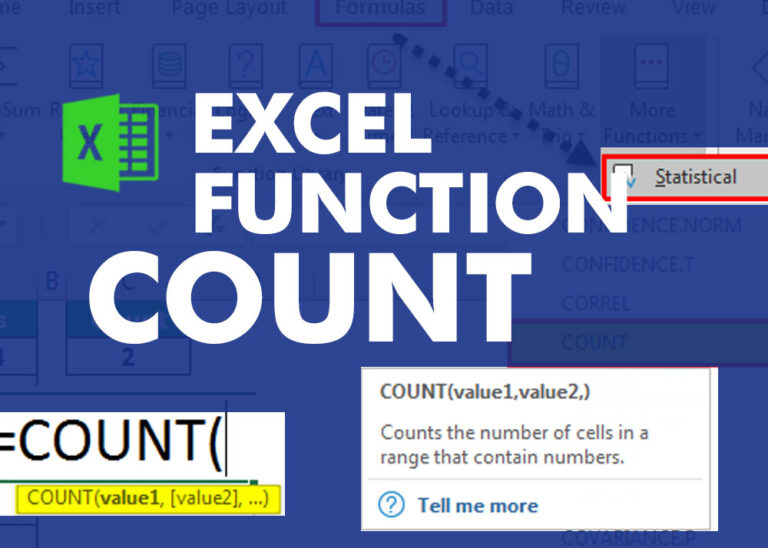
Example 1 :- COUNT
Formula =COUNT(B1:C10)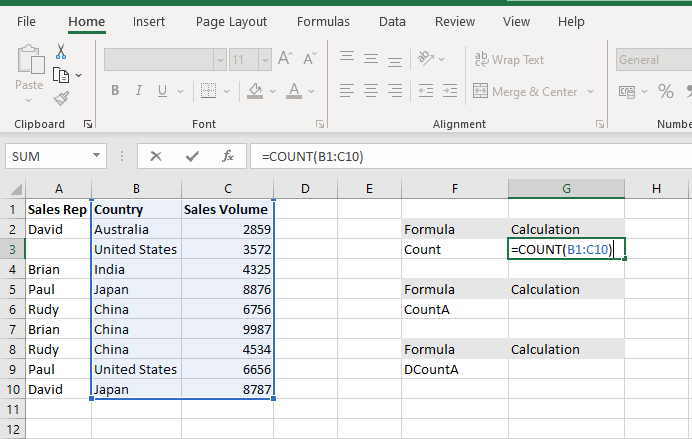
The COUNT Function will count the number of cells with numeric values within the selected range B1 to C10.
EXAMPLE 2:- COUNTA
FORMULA =COUNTA(B1:E10
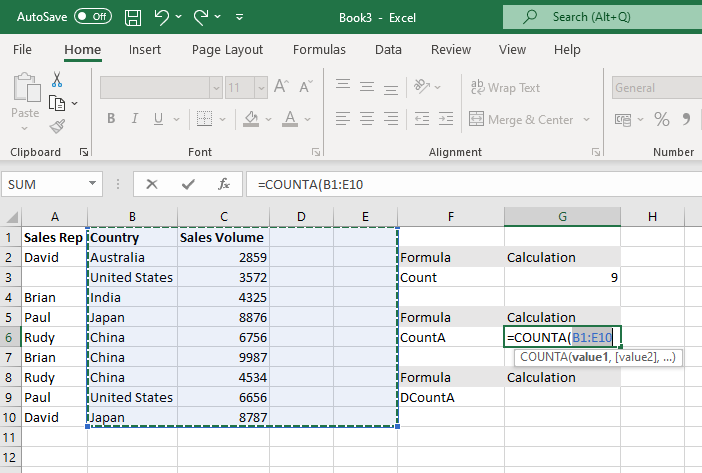
The COUNTA Function will count the number of cells with numeric values and Alpha numeric values within the selected range B1 to E10
Functions Of COUNTA
- It counts all non-blank cells, unlike the COUNT function, which counts only numeric values.
- It only counts the existing values without summing them.
- It returns an error if incorrect arguments are provided to it.
- It counts cells that contain invisible characters. For instance, an empty string (“”) returned by a formula is also counted.
- It counts every non-empty cell, cell range, and value argument as 1.
- It counts the cell in which space is entered, implying that only the absolutely empty cells are excluded from the count.
Key Takeaways
- To count numbers only, use the COUNT function.
- To count numbers and text, use the COUNTA function.
- To count with one condition, use the COUNTIF function
- To count with multiple conditions, use the COUNTIFS function.
- To count empty cells, use the COUNTBLANK function.
Download Practice File
Hope you learnt this Function,
Don’t forget to leave your valuable comments!