How to Count Words in a cell?
How to count words in Excel using the LEN function along with other Excel functions. It also gives formulas for counting words or text, whether case-sensitive or not, in a cell or range.

Excel Functions: An easy-to-follow guide to using functions in Microsoft Excel. Learn how to do quick calculations, analyze information, and solve common tasks with built-in functions like SUM, AVERAGE, and VLOOKUP. Great for beginners who want to work with data more easily and efficiently.
How to count words in Excel using the LEN function along with other Excel functions. It also gives formulas for counting words or text, whether case-sensitive or not, in a cell or range.
The tutorial explains how to use the CHOOSE function in Excel, showing you the basics and some interesting examples. While CHOOSE might seem simple on its own, when you combine it with other functions, it can be powerful. Essentially, the CHOOSE function helps you pick a value from a list based on its position. The tutorial also covers some advanced ways to use CHOOSE that you might find very useful.
The tutorial demonstrates how to find a date any number of days before or after today, counting either all days or only business days.
This guide will show you quick and easy methods to find the number of days between dates in Excel.
Do you need to know how many days are between two dates? Maybe you want to find out the days between today and a date in the past or future, or just count the working days between two dates? Whatever you need, one of the examples below will help you find the solution
Microsoft Excel is a useful tool for analyzing data and conducting statistical research. The program includes numerous functions for performing various statistical calculations. One of the essential measures Excel supports is the weighted average.
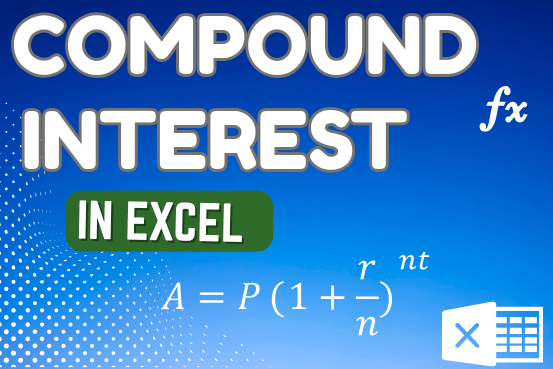
How to use the compound interest formula in Excel and gives examples of how to calculate the future value of an investment with yearly, monthly, or daily interest. It also shows you step-by-step how to make your own Excel compound interest calculator.

Understand how to find median in Excel with simple steps. Understanding the middle value in a set of numbers, known as the median, is important in the data industry. Professionals often use Microsoft Excel to calculate this. Excel’s MEDIAN function helps quickly find this value from long lists of numbers. This saves time and allows for further calculations using the median value. In this article, we explain what the MEDIAN function in Excel does, why it’s useful, and two methods to find the median in your data.

Merge Cells in Excel Merge cells is to combine multiple cells into one cell which can further be used for giving title to the report or header to the column. It helps to create clean…

https://youtu.be/HmJL_y93pAs WEEKNUM function helps to calculate the week number of the given date in a year. It considers 1st January as first week by default and through the output for the given input date. Syntax:…
Excel Function REPLACE REPLACE function is used to replace the existing text from a specific location in a cell to New Text. REPLACE Function has argument four arguments i.e. old_text, start_num, num_chars and new_text. We need to give the…