VBA Code to Check if Folder Exist
VBA Code to check if folder exist
Validation is one of the important parts of any programming language. As per few studies, 60% of the code is focused on validating input or output.
In this article, we will explain 2 methods to validate if the given folder path is valid or not.
The below VBA function uses the Dir VBA function to validate Folder Path.
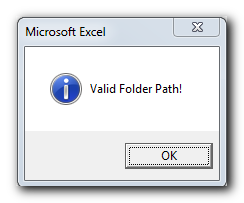
VBA Code:- To check if the folder exist
'This function checks if given folder path is valid or not
Public Function CheckFolderExist(strFolderPath As String) As Boolean

    'If Dir retunrs blank then it is invalid folder path
    If Dir(strFolderPath, vbDirectory) = "" Then
        CheckFolderExist = False
        MsgBox "Invalid Folder Path!", vbCritical
    'Else it is a valid folder path
    Else
        CheckFolderExist = True
        MsgBox "Valid Folder Path!", vbInformation
    End If

End Function
Explanation: If the function returns True then it is a valid folder path. If function returns False then it is invalid folder path.
Below VBA function uses File System Object to validate Folder path
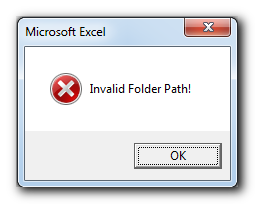
'This function checks if given folder path is valid or not
'Microsoft Scripting Runtime reference is required to run this code
Public Function CheckFolderExist(strFolderPath As String) As Boolean

    Dim objFileSystem As FileSystemObject

    Set objFileSystem = New FileSystemObject

    'If FolderExists function returns True then it is valid folder path
    If objFileSystem.FolderExists(strFolderPath) = True Then
        CheckFolderExist = True
        MsgBox "Valid Folder Path!", vbInformation
    'Else it is invalid folder path
    Else
        CheckFolderExist = False
        MsgBox "Invalid Folder Path!", vbCritical
    End If

End Function
Explanation: If the function returns True then it is a valid folder path. If function returns False then it is invalid folder path.
Download Practice File
You can also practice this through our practice files. Click on the below link to download the practice file.